

Managing Configuration Drift
Managing SD-WAN Configuration Drift with Terraform: Detection and Remediation Strategies
Section titled “Managing SD-WAN Configuration Drift with Terraform: Detection and Remediation Strategies”Executive Summary
Section titled “Executive Summary”Configuration drift occurs when the actual state of network infrastructure deviates from the desired state defined in your Network as Code (NaC) repository. This comprehensive guide demonstrates how to detect, understand, and remediate configuration drift in Cisco SD-WAN environments using Terraform, covering three common drift scenarios with practical remediation strategies.
This article addresses the common issue of configuration drift in Cisco SD-WAN environments when using a Network-as-Code solution based on Terraform. Configuration drift occurs when the actual state of the network deviates—more precisely, when the controller state diverges—from the desired state defined in your Git repository and stored in your Terraform state. This can lead to inconsistencies, unexpected behavior, and challenges in managing your SD-WAN infrastructure.
Key Takeaways:
- Learn to identify different types of configuration drift in SD-WAN
- Master Terraform import workflows for complex drift scenarios
- Implement best practices for maintaining configuration consistency
- Understand the relationship between Terraform state and SD-WAN controller objects
Understanding Configuration Drift
Section titled “Understanding Configuration Drift”Configuration drift in SD-WAN environments typically occurs through:
- Manual UI changes on the SD-WAN controller
- Direct API modifications outside of Terraform
- Out-of-band automation tools making changes
- Template inheritance causing unexpected configurations
Types of Drift
Section titled “Types of Drift”| Drift Type | Description | Remediation Complexity |
|---|---|---|
| Property Drift | Existing objects with modified properties | Low |
| Deletion Drift | Resources removed from controller | Low |
| Recreation Drift | Resources deleted and recreated with same name | High |
| Cross-Module Drift | Changes affecting multiple Terraform modules | Very High |
Topology Overview
Section titled “Topology Overview”The demonstration environment consists of a simple CML SD-WAN setup with 3 sites connected via different transport methods:
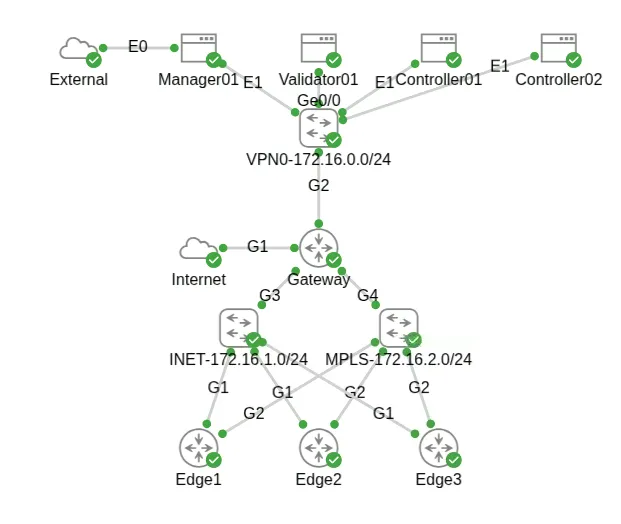
Environment Details:
- Sites: 3 locations (HQ, Branch, Remote)
- Devices: C8000V routers at each site
- Transport: Combination of MPLS and Internet links
- Templates: Centralized device and feature templates
- Policies: Centralized and localized policies
Environment Setup
Section titled “Environment Setup”Prerequisites Checklist
Section titled “Prerequisites Checklist”- Terraform >= 1.0 installed
- Cisco SD-WAN Terraform provider configured
- Access to SD-WAN Manager controller
- Git repository with terraform configurations
- Network-as-Code (NaC) data model files
Project Structure
Section titled “Project Structure”nac-sdwan-example/├── data/│ ├── centralized_policies.nac.yaml│ ├── edge_device_templates.nac.yaml│ ├── edge_feature_templates.nac.yaml│ ├── localized_policies.nac.yaml│ ├── policy_objects.nac.yaml│ └── sites.nac.yaml├── terraform.tfstate└── main.tfInitial Deployment
Section titled “Initial Deployment”Deploy your Day 0 SD-WAN configuration:
# Initialize and apply base configurationterraform initterraform plan # Review planned changesterraform apply # Deploy 150+ resources# Expected output (condensed)Plan: 150 to add, 0 to change, 0 to destroy....Apply complete! Resources: 150 added, 0 changed, 0 destroyed.So I have my Day 0 configuration for my devices, sites, and policies applied and in sync with the SD-WAN controller.
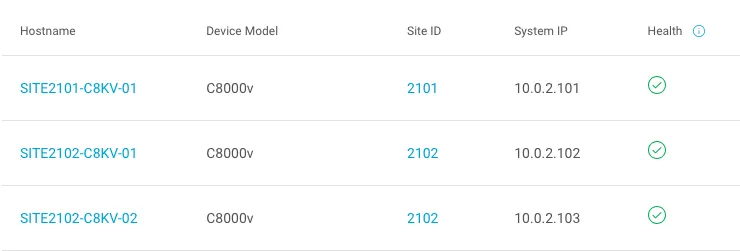
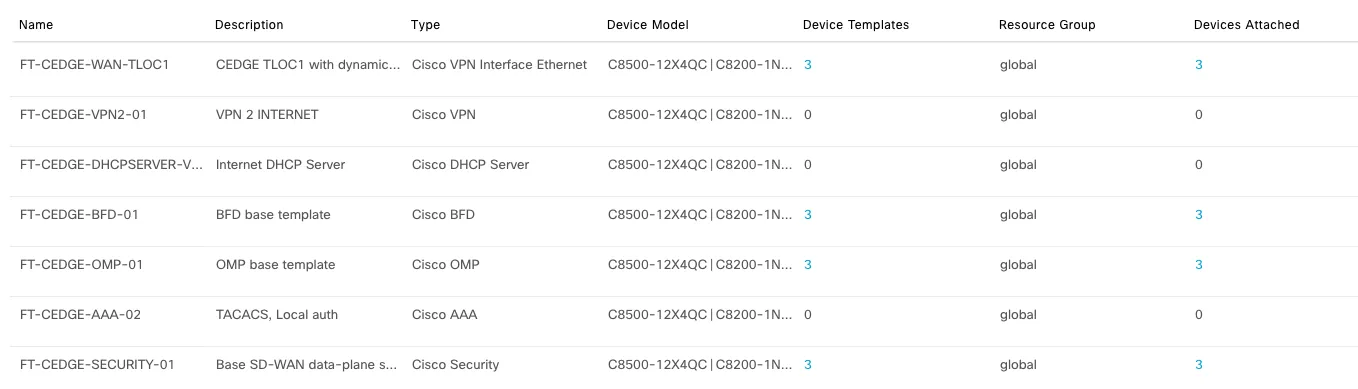
Before we create drift, let’s also analyze the Terraform state to see how my objects, let’s say templates, are represented in the state.
I will use the FT-CEDGE-AAA-02 AAA template as an example to analyze in the following steps.
If you open your terraform.tfstate file and look for the FT-CEDGE-AAA-02 template, you can see its representation below in JSON format:
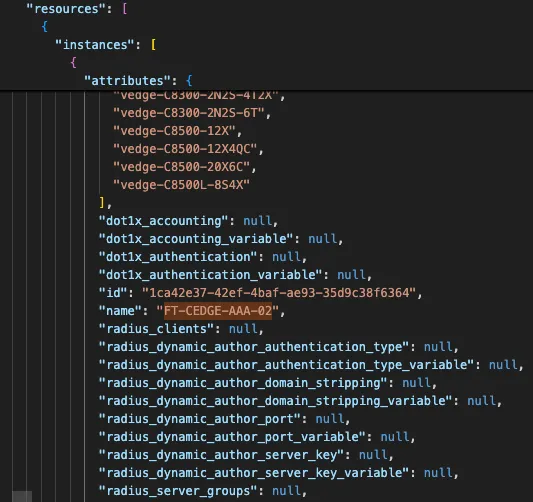
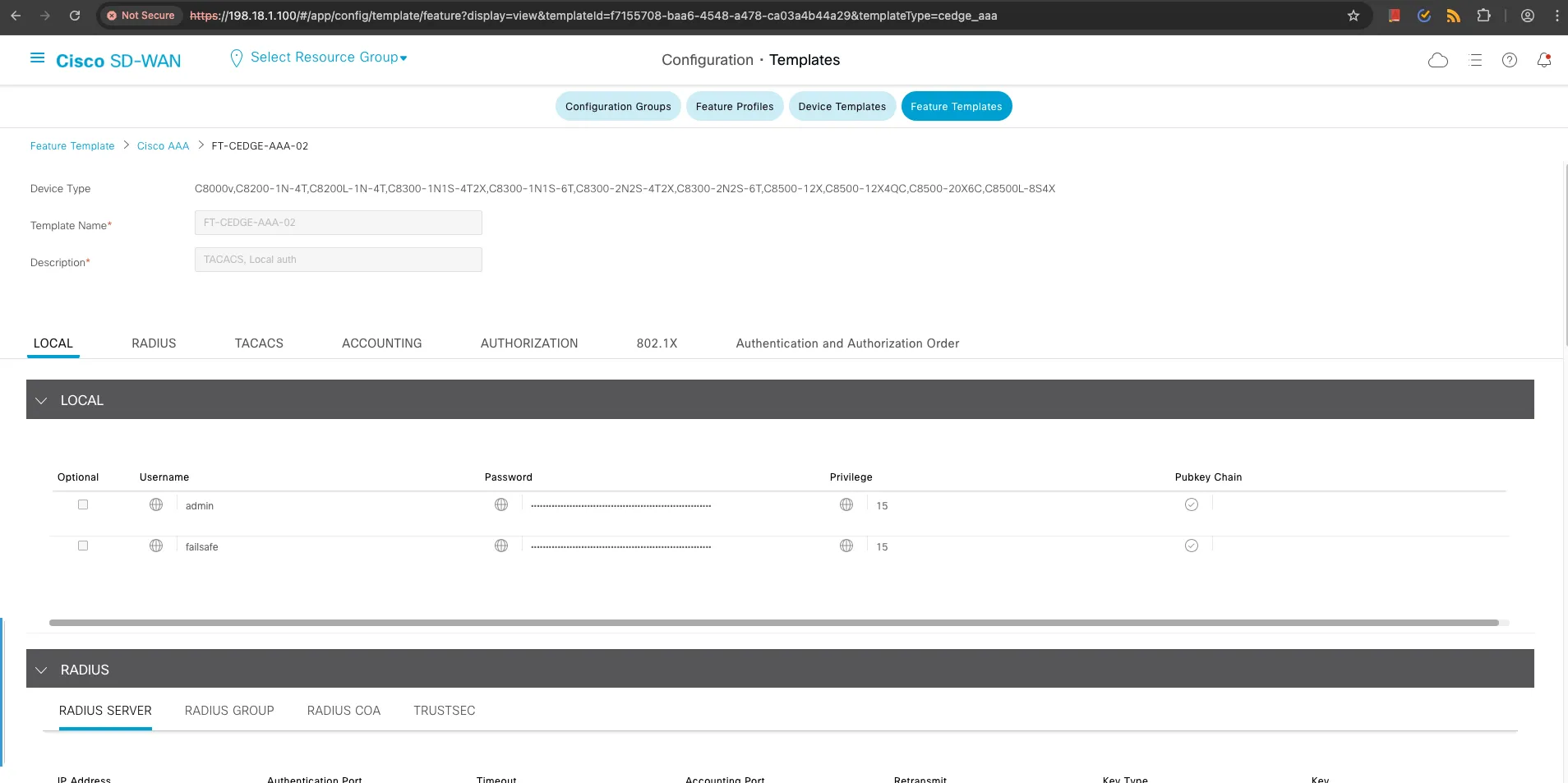
The ID 1ca42e37-42ef-4baf-ae93-35d9c38f6364 shown above is exactly the same ID you can see in the SD-WAN controller UI for the same template:
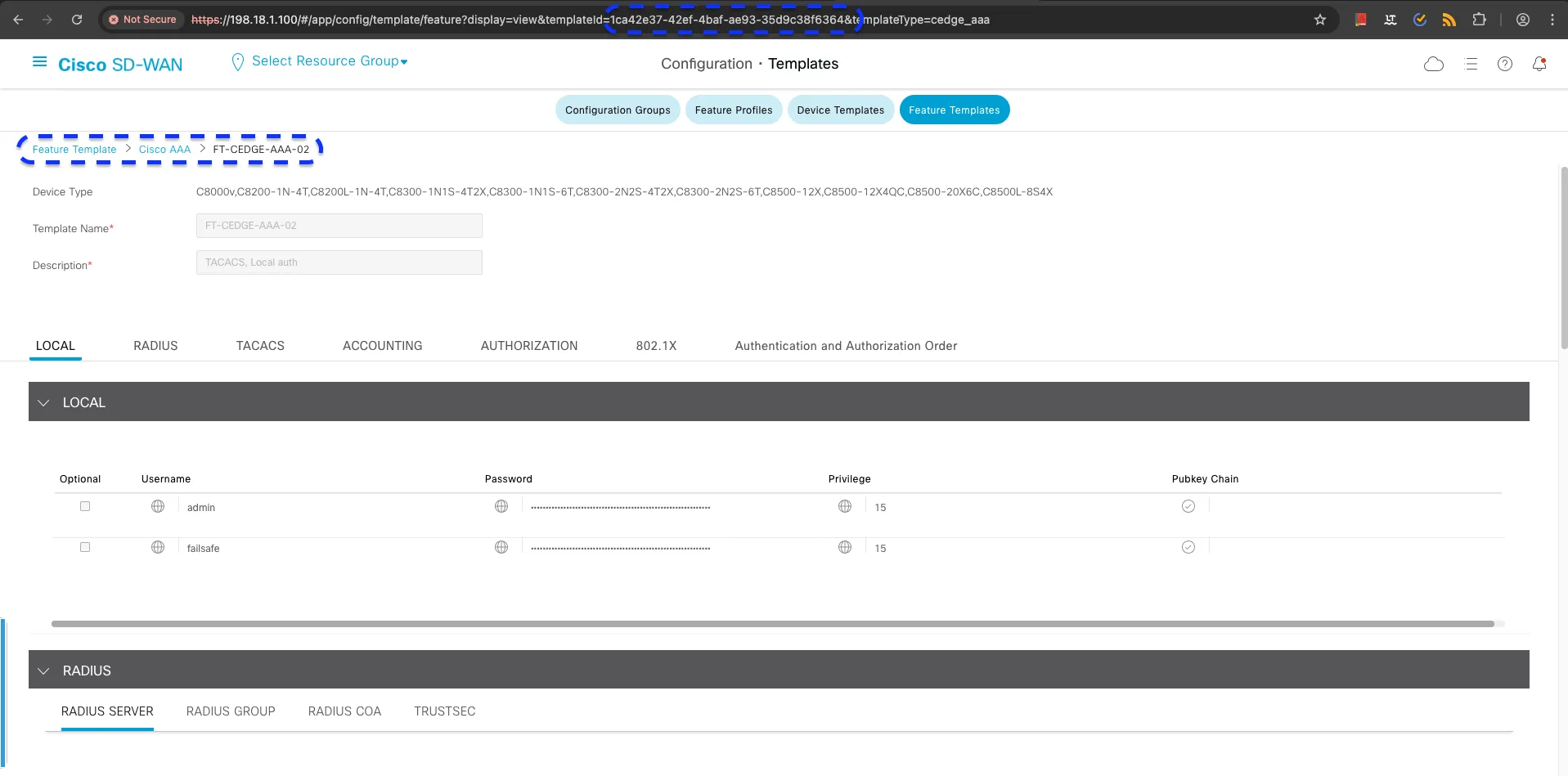
This ID is assigned by the SD-WAN controller when the object is created, and this is how Terraform keeps track of the objects it manages, linking them with the names we define in our configuration and data model files.
Drift Scenario 1: Property Modifications
Section titled “Drift Scenario 1: Property Modifications”This scenario covers the most common drift type: manual changes to existing resource properties through the SD-WAN controller UI.
The Scenario
Section titled “The Scenario”We’ll modify the FT-CEDGE-AAA-02 AAA feature template by:
- Changing name from
FT-CEDGE-AAA-02toFT-CEDGE-AAA-02-DRIFTED - Updating description to
This is a drifted AAA template
Terraform State Analysis
Section titled “Terraform State Analysis”Before creating drift, let’s examine how Terraform tracks this resource:
{ "mode": "managed", "type": "sdwan_cedge_aaa_feature_template", "name": "cedge_aaa_feature_template", "instances": [ { "attributes": { "id": "1ca42e37-42ef-4baf-ae93-35d9c38f6364", "name": "FT-CEDGE-AAA-02", "description": "TACACS, Local auth" } } ]}🔍 Key Insight: The
idfield links Terraform state to the actual SD-WAN controller object.
Creating the Drift
Section titled “Creating the Drift”- Navigate to Configuration → Templates → Feature Templates
- Edit
FT-CEDGE-AAA-02template - Change name to
FT-CEDGE-AAA-02-DRIFTED - Update description to
This is a drifted AAA template - Save changes
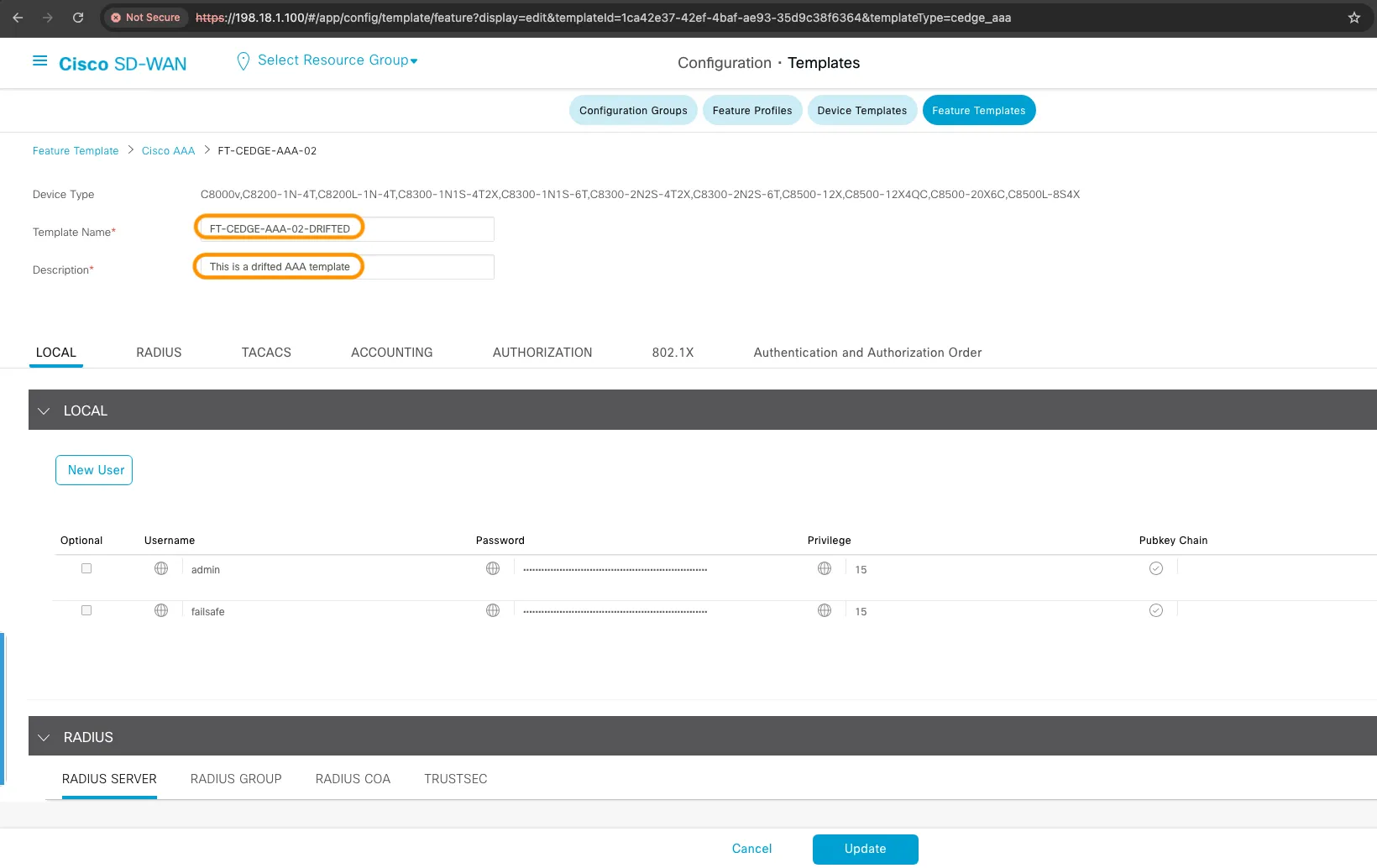
Detecting the Drift
Section titled “Detecting the Drift”terraform plan# Terraform detects the driftTerraform will perform the following actions:
# module.sdwan.sdwan_cedge_aaa_feature_template.cedge_aaa_feature_template["FT-CEDGE-AAA-02"] will be updated in-place ~ resource "sdwan_cedge_aaa_feature_template" "cedge_aaa_feature_template" { ~ description = "This is a drifted AAA template" -> "TACACS, Local auth" ~ name = "FT-CEDGE-AAA-02-DRIFTED" -> "FT-CEDGE-AAA-02" # (other attributes unchanged) }
Plan: 0 to add, 1 to change, 0 to destroy.Remediating the Drift
Section titled “Remediating the Drift”terraform apply# Remediation outputmodule.sdwan.sdwan_cedge_aaa_feature_template.cedge_aaa_feature_template["FT-CEDGE-AAA-02"]: Modifying... [id=1ca42e37-42ef-4baf-ae93-35d9c38f6364]module.sdwan.sdwan_cedge_aaa_feature_template.cedge_aaa_feature_template["FT-CEDGE-AAA-02"]: Modifications complete after 0s
Apply complete! Resources: 0 added, 1 changed, 0 destroyed.If we go back to the SD-WAN UI, we can see the name is back to FT-CEDGE-AAA-02 and the description is back to TACACS, Local auth.
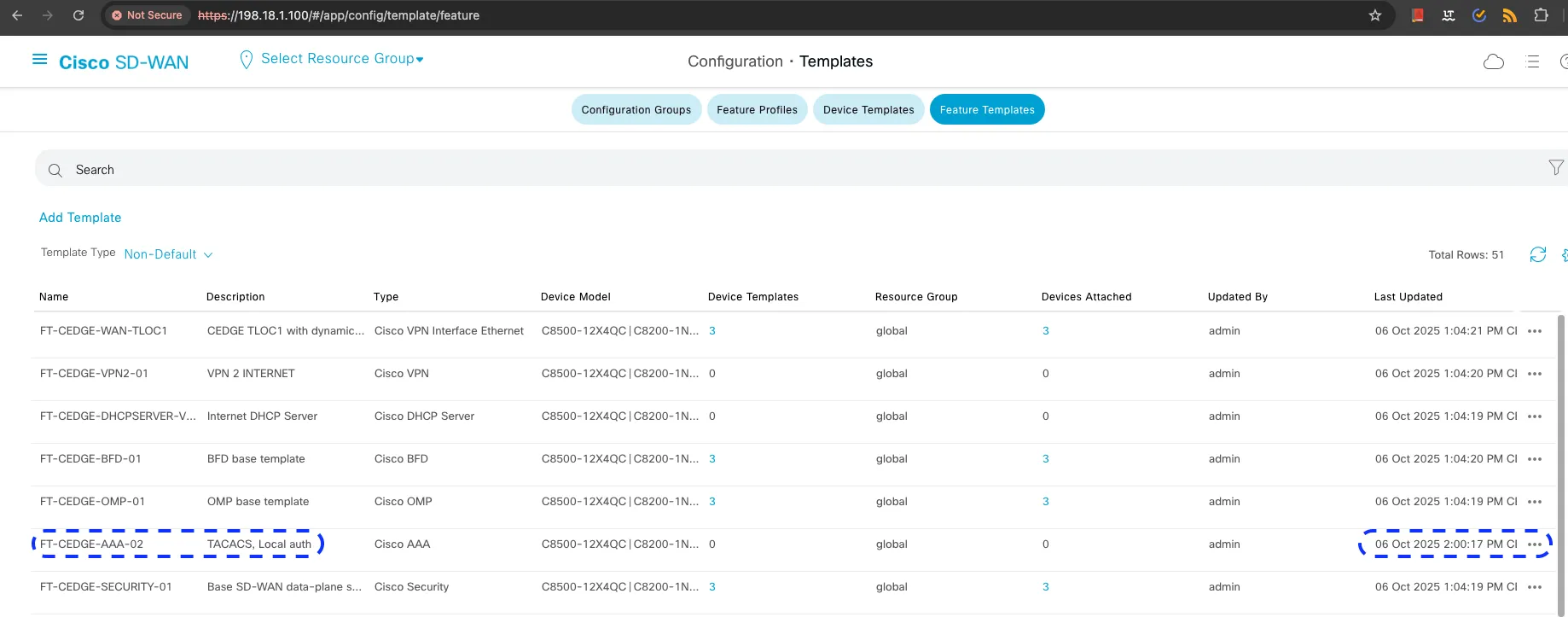
Also, if we open and view it again, we’ll see it’s back to the original state.
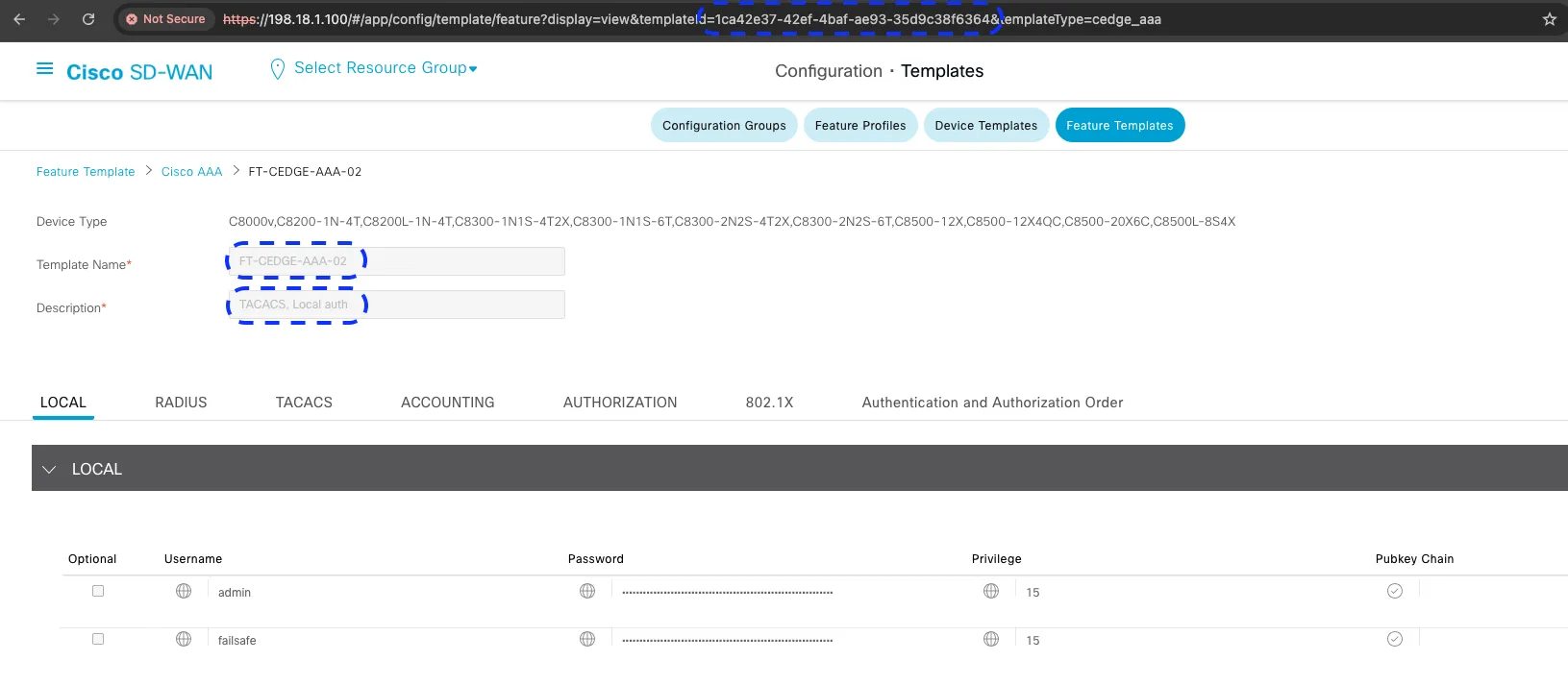
✅ Result: Configuration restored to desired state as defined in YAML data model.
Drift Scenario 2: Resource Deletion
Section titled “Drift Scenario 2: Resource Deletion”This scenario demonstrates drift detection and remediation when resources are completely removed from the SD-WAN controller.
The Scenario
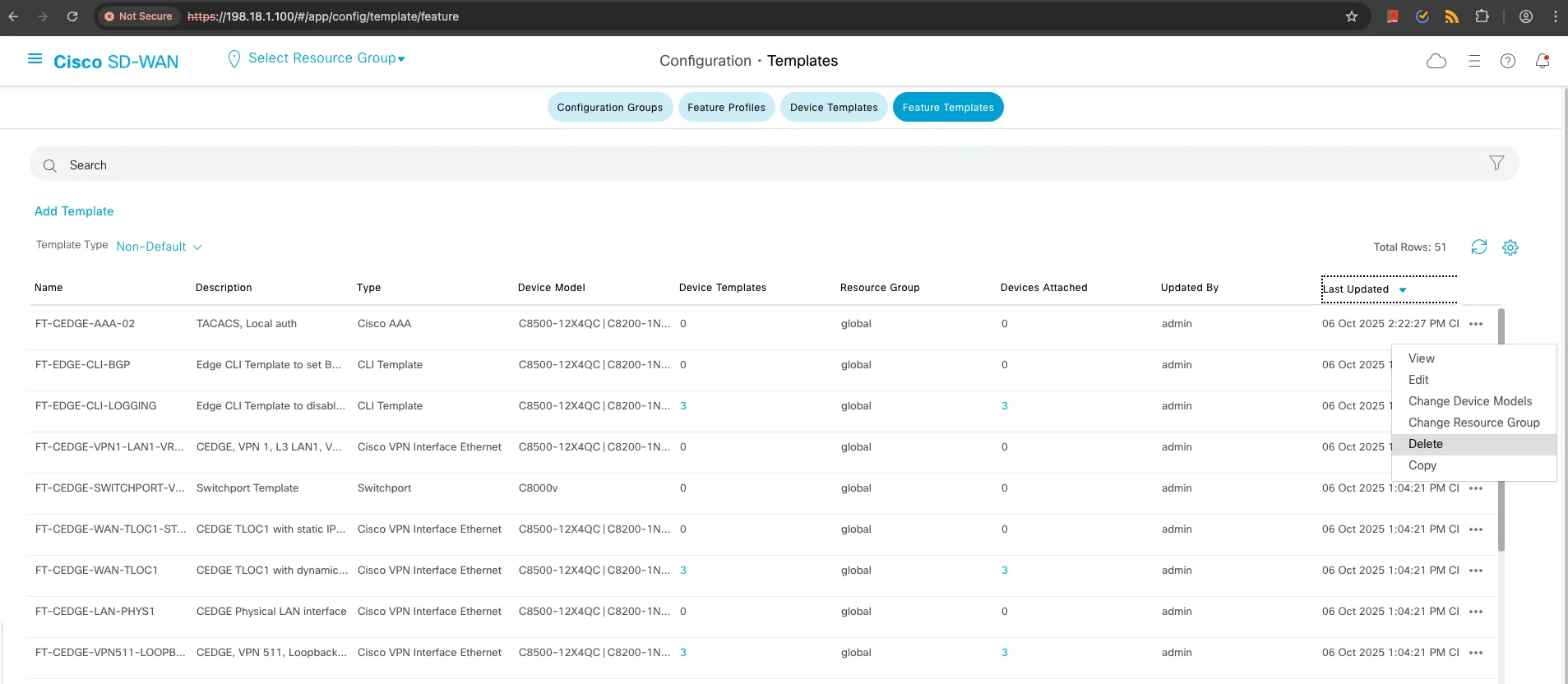
Section titled “The Scenario”- Navigate to SD-WAN controller UI
- Delete the
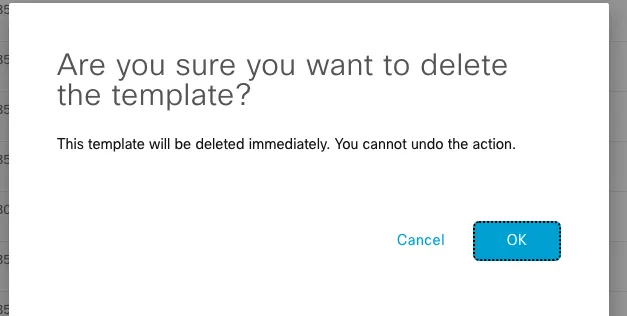
FT-CEDGE-AAA-02feature template - Confirm deletion
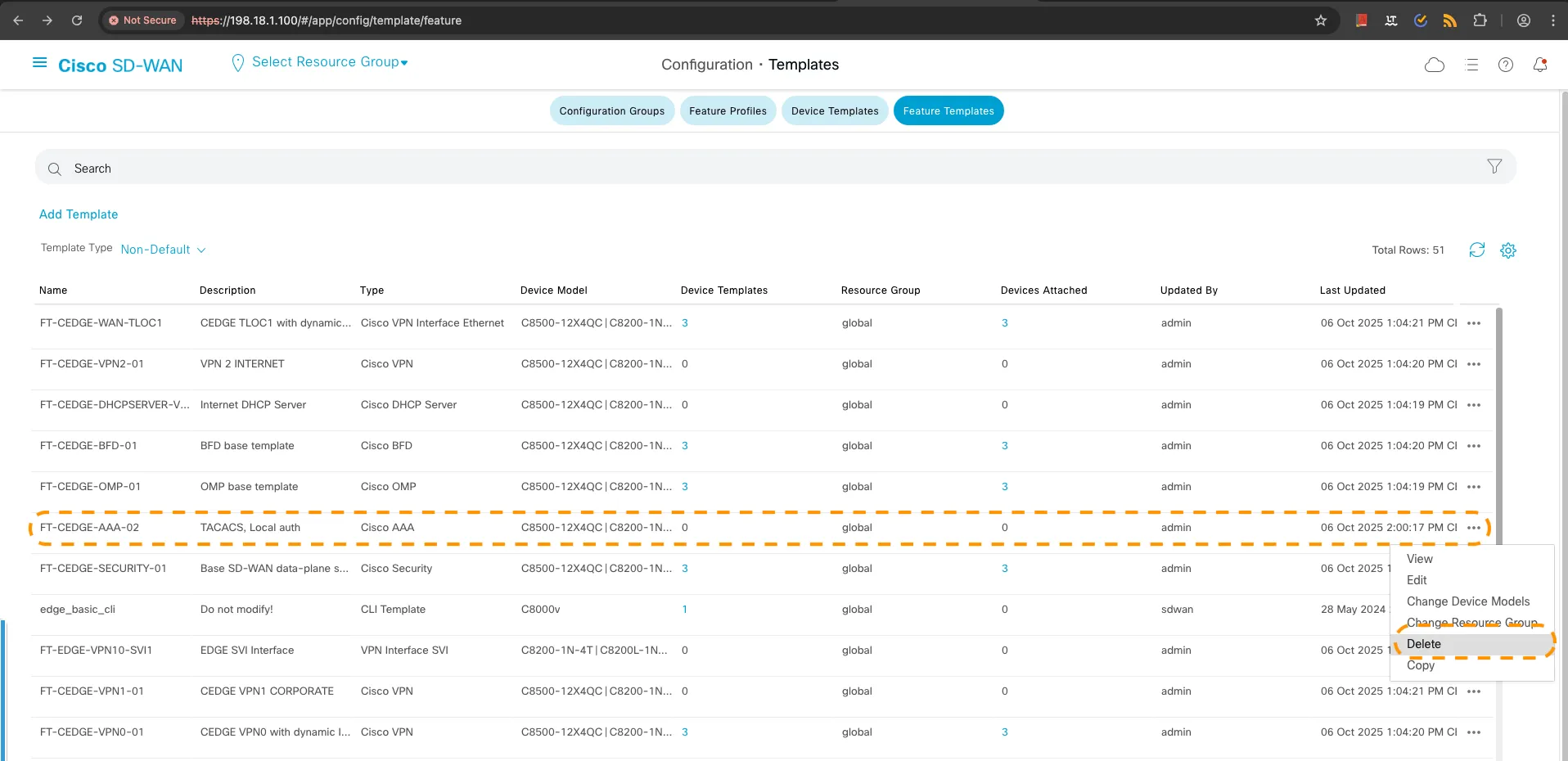
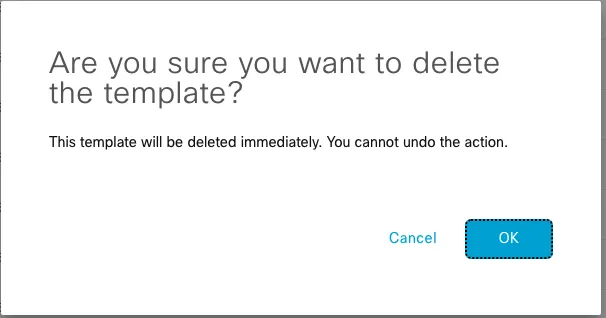
Detecting Deletion Drift
Section titled “Detecting Deletion Drift”terraform plan# Terraform plans to recreate the deleted resourceTerraform will perform the following actions:
# module.sdwan.sdwan_cedge_aaa_feature_template.cedge_aaa_feature_template["FT-CEDGE-AAA-02"] will be created + resource "sdwan_cedge_aaa_feature_template" "cedge_aaa_feature_template" { + description = "TACACS, Local auth" + name = "FT-CEDGE-AAA-02" + id = (known after apply) # ... full configuration details }
Plan: 1 to add, 0 to change, 0 to destroy.Remediating Deletion Drift
Section titled “Remediating Deletion Drift”terraform apply# Recreation outputmodule.sdwan.sdwan_cedge_aaa_feature_template.cedge_aaa_feature_template["FT-CEDGE-AAA-02"]: Creating...module.sdwan.sdwan_cedge_aaa_feature_template.cedge_aaa_feature_template["FT-CEDGE-AAA-02"]: Creation complete after 0s [id=411e1506-910c-4c2e-8fdb-acd554b40b64]
Apply complete! Resources: 1 added, 0 changed, 0 destroyed.Now if we go back to the SD-WAN controller UI, we can see that the FT-CEDGE-AAA-02 template is back.
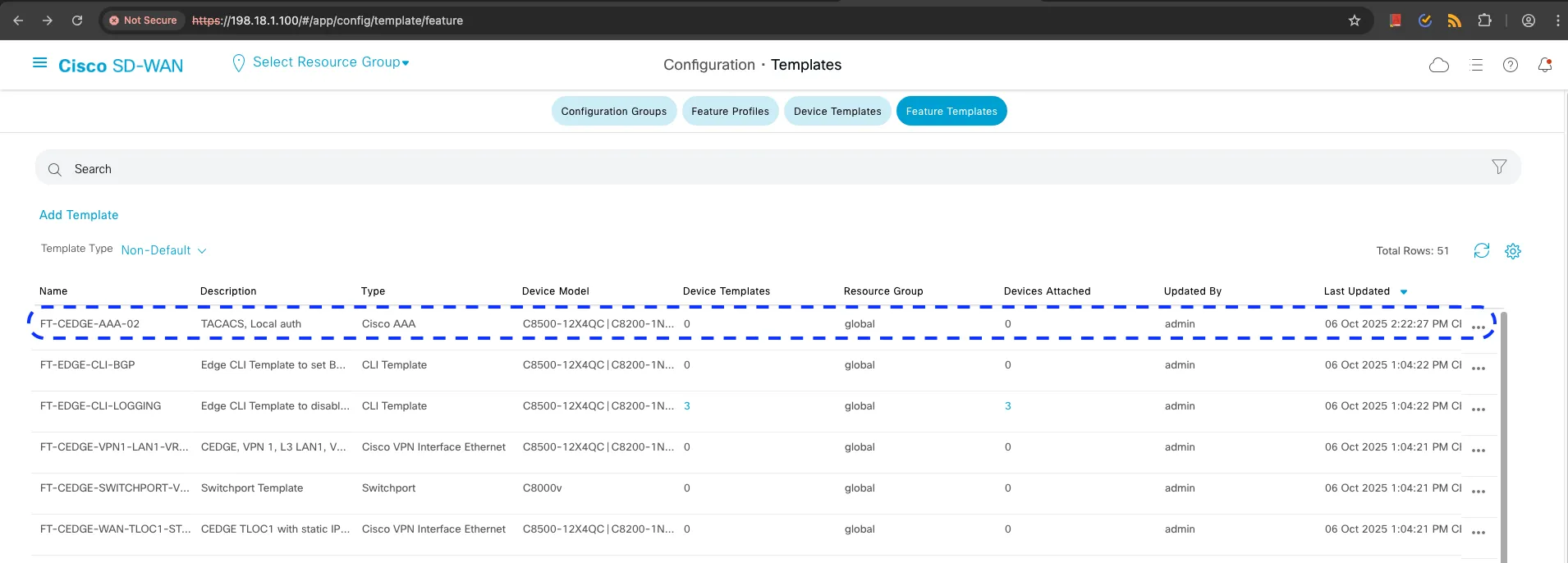
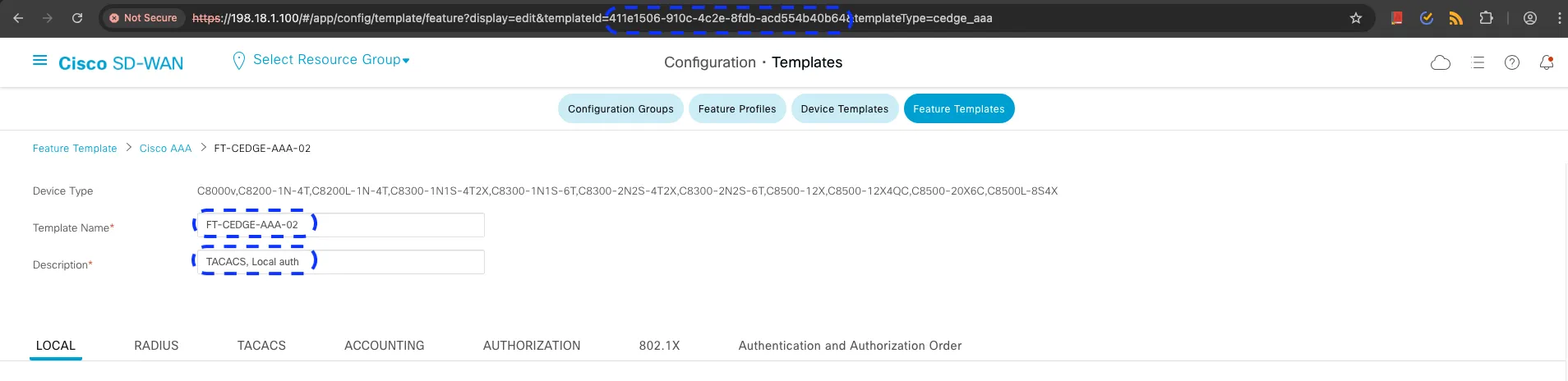
If we check again in our Terraform state file, we can see the new ID for the FT-CEDGE-AAA-02 template.
{ "mode": "managed", "type": "sdwan_cedge_aaa_feature_template", "name": "cedge_aaa_feature_template", "instances": [ { "attributes": { "id": "411e1506-910c-4c2e-8fdb-acd554b40b64", "name": "FT-CEDGE-AAA-02", "description": "TACACS, Local auth" } } ]}✅ Result: Template successfully recreated with identical configuration.
Drift Scenario 3: Recreation with Same Name
Section titled “Drift Scenario 3: Recreation with Same Name”This is the most complex scenario: a resource is deleted and manually recreated with the same name but different configuration.
The Scenario
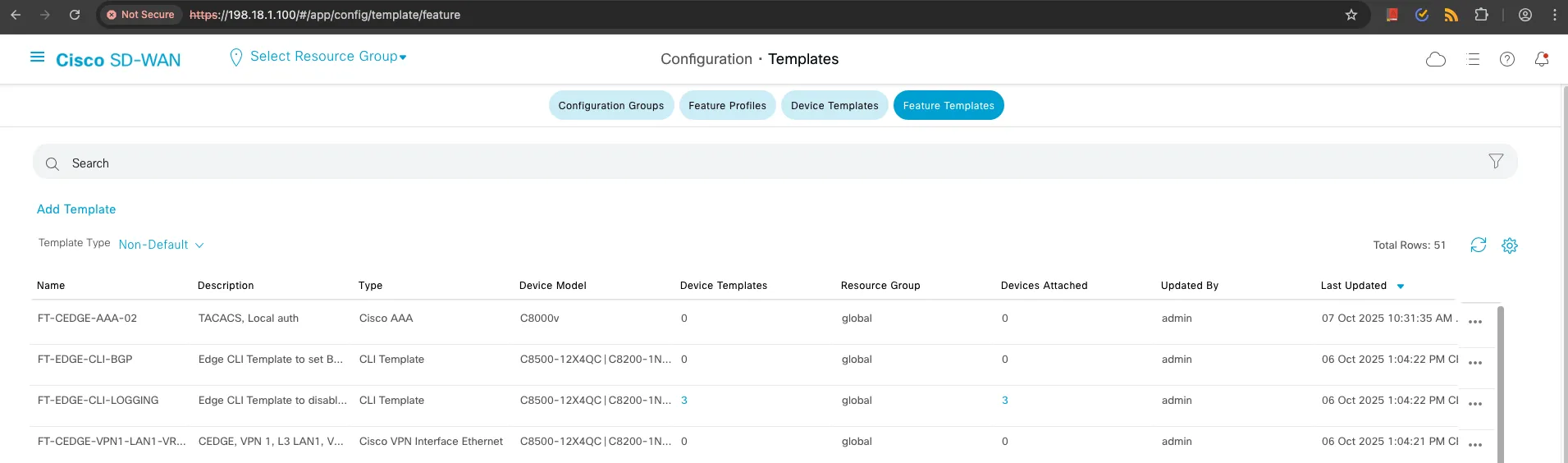
Section titled “The Scenario”- Delete
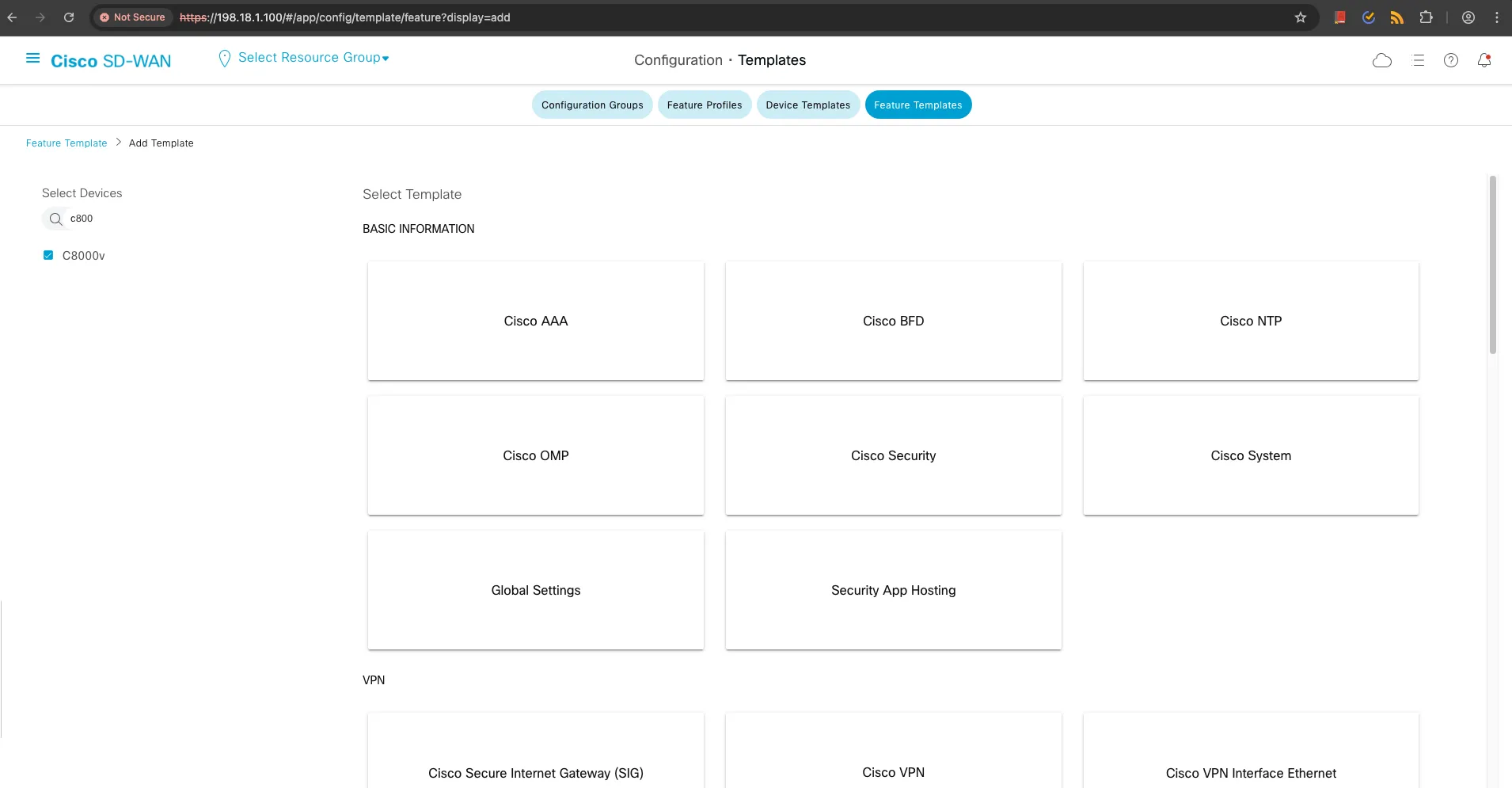
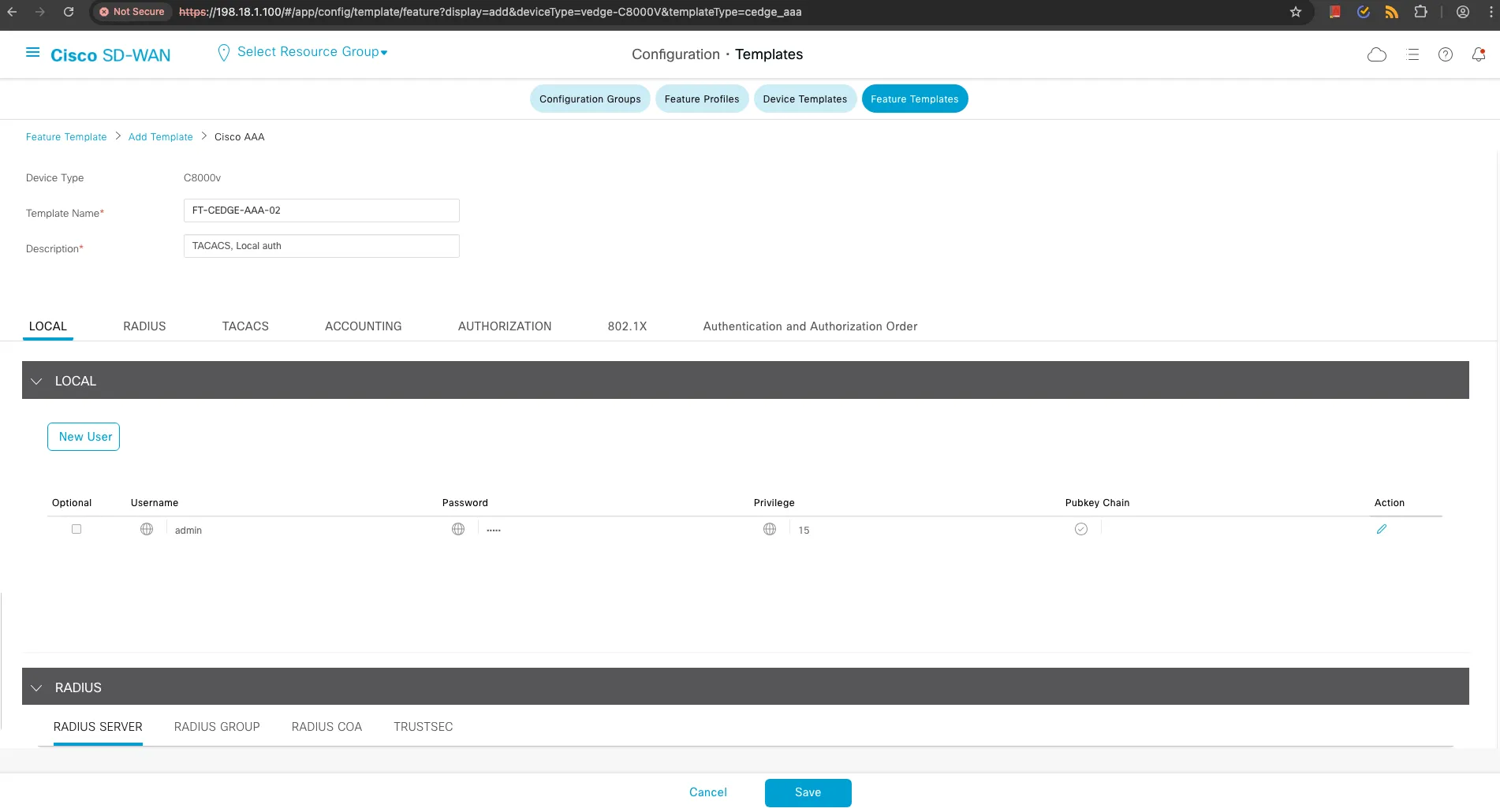
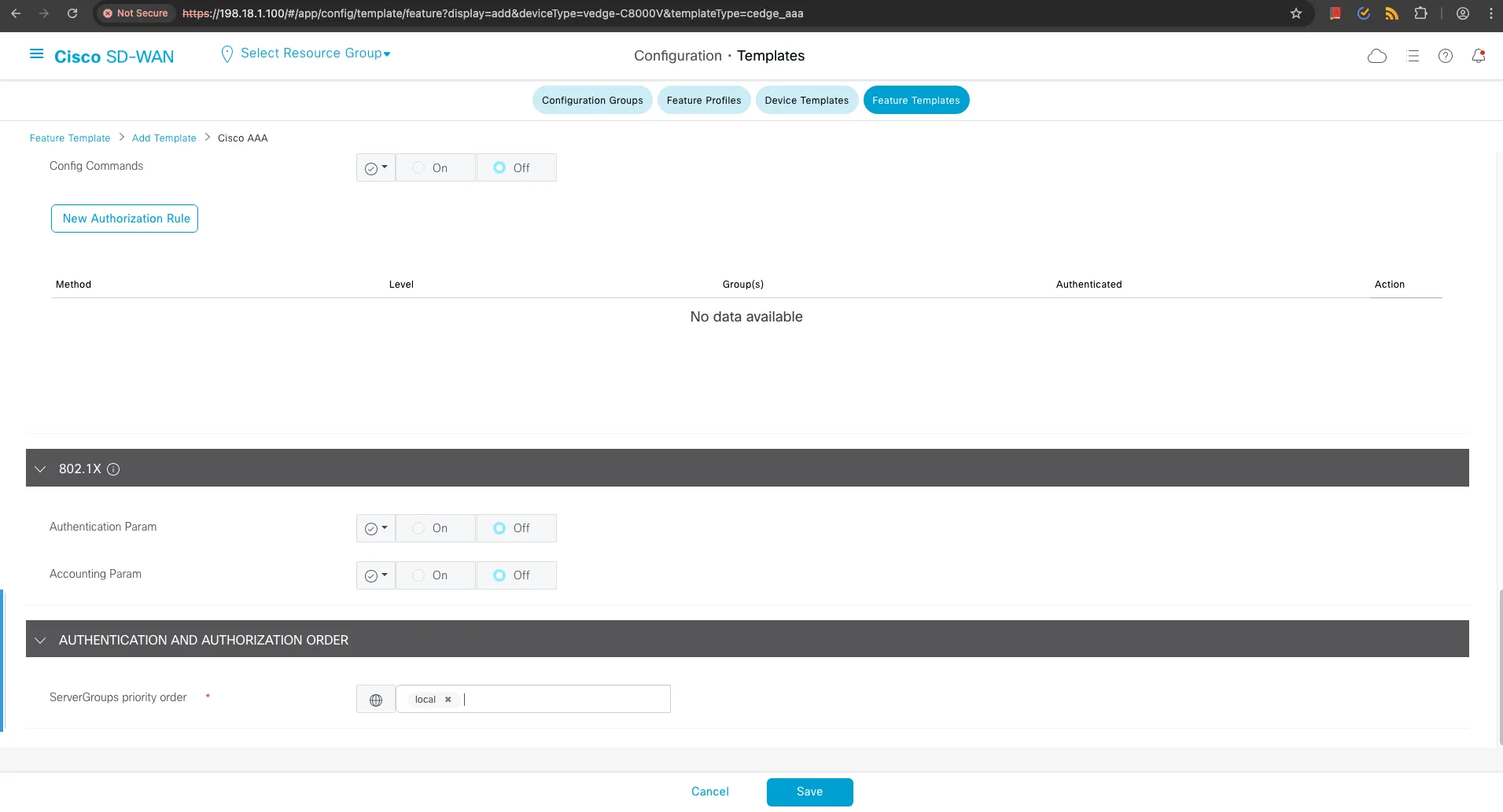
FT-CEDGE-AAA-02from SD-WAN controller - Create new template with same name but minimal configuration:
- Device type: C8000V only
- Server groups: local only (no TACACS)
- No additional users configured
The Challenge
Section titled “The Challenge”terraform apply# Error: Template name conflict╷│ Error: Client Error│ Failed to create template (POST), got error: HTTP Request failed:│ StatusCode 400, {"error":{"message":"Template with name 'FT-CEDGE-AAA-02' already exists"}}╵❌ Problem: Terraform cannot create a new resource with the same name, nor can it update the existing one because the IDs don’t match.
Solution: Terraform Import Workflow
Section titled “Solution: Terraform Import Workflow”Step 1: Identify the New Resource ID
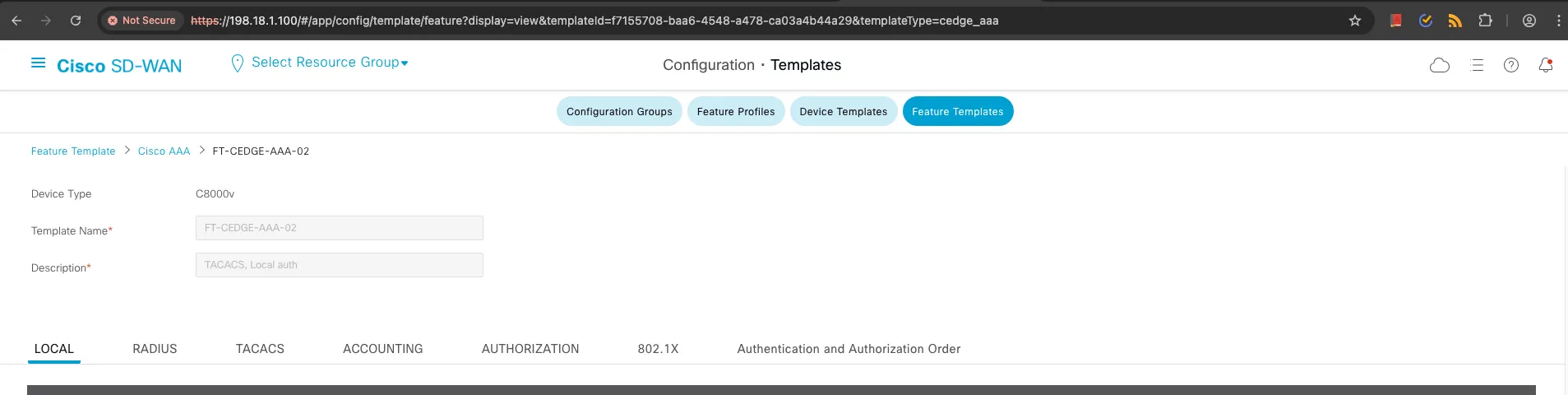
Section titled “Step 1: Identify the New Resource ID”From the SD-WAN controller UI, note the new template ID: f7155708-baa6-4548-a478-ca03a4b44a29
Step 2: Import the Existing Resource
Section titled “Step 2: Import the Existing Resource”# Import syntax for module resourcesterraform import 'module.sdwan.sdwan_cedge_aaa_feature_template.cedge_aaa_feature_template["FT-CEDGE-AAA-02"]' "f7155708-baa6-4548-a478-ca03a4b44a29"# Import outputmodule.sdwan.sdwan_cedge_aaa_feature_template.cedge_aaa_feature_template["FT-CEDGE-AAA-02"]: Import prepared!module.sdwan.sdwan_cedge_aaa_feature_template.cedge_aaa_feature_template["FT-CEDGE-AAA-02"]: Refreshing state... [id=f7155708-baa6-4548-a478-ca03a4b44a29]
Import successful!Let’s look now in our Terraform state file—we can see the new ID for the FT-CEDGE-AAA-02 template.
{ "mode": "managed", "type": "sdwan_cedge_aaa_feature_template", "name": "cedge_aaa_feature_template", "instances": [ { "attributes": { "id": "f7155708-baa6-4548-a478-ca03a4b44a29", "name": "FT-CEDGE-AAA-02", "description": "Local auth" } } ]}Step 3: Plan Configuration Updates
Section titled “Step 3: Plan Configuration Updates”terraform plan# Terraform now plans to update the imported resource # module.sdwan.sdwan_cedge_aaa_feature_template.cedge_aaa_feature_template["FT-CEDGE-AAA-02"] will be updated in-place ~ resource "sdwan_cedge_aaa_feature_template" "cedge_aaa_feature_template" { ~ device_types = [ + "vedge-C8200-1N-4T", + "vedge-C8200L-1N-4T", # ... additional device types ] ~ server_groups_priority_order = "local" -> "TACACS-GROUP1,TACACS-GROUP2,local" + tacacs_server_groups = [ # ... TACACS configuration ] + users = [ # ... user configuration ] }
Plan: 0 to add, 1 to change, 0 to destroy.Step 4: Apply Configuration Updates
Section titled “Step 4: Apply Configuration Updates”terraform apply# Update outputmodule.sdwan.sdwan_cedge_aaa_feature_template.cedge_aaa_feature_template["FT-CEDGE-AAA-02"]: Modifying... [id=f7155708-baa6-4548-a478-ca03a4b44a29]module.sdwan.sdwan_cedge_aaa_feature_template.cedge_aaa_feature_template["FT-CEDGE-AAA-02"]: Modifications complete after 0s
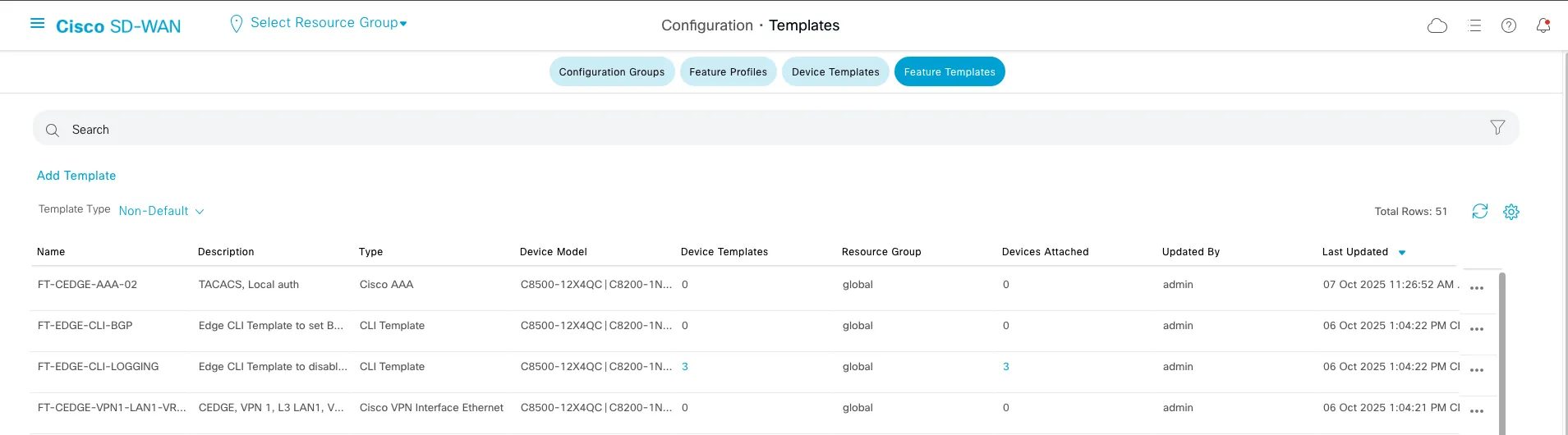
Apply complete! Resources: 0 added, 1 changed, 0 destroyed.Let’s look now in the SD-WAN controller UI, we can see that the FT-CEDGE-AAA-02 template is updated to match the desired state as defined in the Terraform configuration files.
{ "mode": "managed", "type": "sdwan_cedge_aaa_feature_template", "name": "cedge_aaa_feature_template", "instances": [ { "attributes": { "id": "f7155708-baa6-4548-a478-ca03a4b44a29", "name": "FT-CEDGE-AAA-02", "description": "TACACS, Local auth" } } ]}✅ Result: Resource successfully aligned with desired state configuration.
Import Command Reference
Section titled “Import Command Reference”You can find how to import data in Terraform using the provider documentation here.
For modules, use the documentation here
For different SD-WAN resources, use these import patterns:
# Feature Templatesterraform import 'module.sdwan.sdwan_cedge_<template_name>_feature_template.template_name["KEY"]' "RESOURCE_ID"
# Device Templatesterraform import 'module.sdwan.sdwan_feature_device_template.device_template["KEY"]' "RESOURCE_ID"
# Policy Objectsterraform import 'module.sdwan.sdwan_<policy_object>_policy_object.policy_object["KEY"]' "RESOURCE_ID"
# Centralized Policiesterraform import 'module.sdwan.sdwan_centralized_policy.policy["KEY"]' "RESOURCE_ID"
Best Practices
Section titled “Best Practices”🛡️ Preventing Configuration Drift
Section titled “🛡️ Preventing Configuration Drift”1. CI/CD Pipeline Integration
Section titled “1. CI/CD Pipeline Integration”Sometimes manual changes are unavoidable. To mitigate drift risks, integrate Terraform plans into your CI/CD pipelines to automatically detect and alert on configuration changes. Example GitHub Actions workflow:
name: SD-WAN Drift Detectionon:  schedule:    - cron: '0 8 * * MON-FRI'  # Daily weekday checks
jobs:  drift-detection:    runs-on: ubuntu-latest    steps:      - name: Checkout        uses: actions/checkout@v3
      - name: Setup Terraform        uses: hashicorp/setup-terraform@v2
      - name: Terraform Plan        run: terraform plan -detailed-exitcode        # Exit code 2 indicates changes detected
2. Access Control
Section titled “2. Access Control”- Limit UI access to the SD-WAN controller for day-to-day operations
- Implement RBAC with read-only access for most users
- Use break-glass procedures for emergency manual changes
- Audit all changes through controller logs
3. Change Management Process
Section titled “3. Change Management Process”
🔧 Operational Guidelines
Section titled “🔧 Operational Guidelines”Pre-Remediation Checklist
Section titled “Pre-Remediation Checklist”- Use a version control system such as Git to store the current configuration before making changes
- Review Terraform plan output thoroughly
- Check for resource dependencies that might be affected
- Validate in a staging environment if possible
- Schedule a maintenance window for production changes
Advanced Scenarios
Section titled “Advanced Scenarios”Cross-Module Dependencies
Section titled “Cross-Module Dependencies”The last example shows how Terraform can detect and remediate drift in the SD-WAN controller configuration. In all the examples we performed, we were able to remediate the drift and bring the configuration back to the desired state as defined in the data model YAML file and Terraform state file. It’s also important that all the changes were part of the same Terraform module that handles implementation of the AAA feature template. If a change is made outside the module scope and across multiple modules, remediation becomes more complex and requires additional planning and testing before production implementation.
Let’s say if we analyze the Terraform module for the device template, we can see that we have multiple resources which are part of the module and span multiple modules, increasing complexity. Terraform Network-as-Code Cisco SD-WAN Module
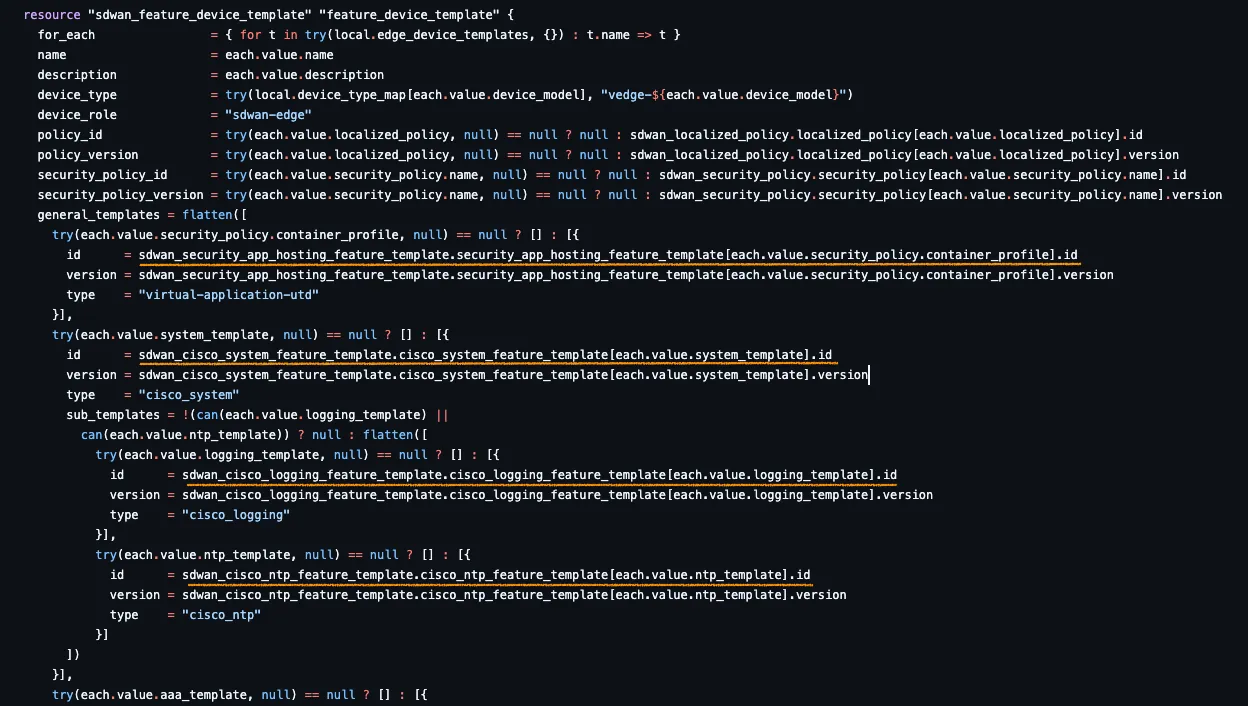
If we change more than one resource across multiple modules, complexity increases and we need to plan and test the changes before bringing the configuration back to the desired state.
Conclusion
Section titled “Conclusion”In this blog post, we have seen how to use Terraform to manage and automate the configuration of the Cisco SD-WAN controller. We have defined the desired state of the SD-WAN controller using Terraform configuration files and applied those configurations to the controller. We have also seen how to detect and remediate drift in the SD-WAN controller configuration using Terraform. We have further illustrated how this can easily get out of control depending on the type of change performed and how to reconcile the configuration back to the desired state.
For operational purposes, it is very important to have a good understanding of the configuration and the impact of the changes you make. It is also critical to have a thorough testing and validation process before applying changes in a production environment, which—if you are using a Network-as-Code approach—should be part of your existing CI/CD pipeline.
None of the changes demonstrated in this blog post were part of a CI/CD pipeline; they were done manually for demonstration purposes. In a real-world scenario, you should have a robust CI/CD pipeline in place to validate and test changes before applying them in production and to minimize or avoid any UI-based changes that could lead to configuration drift.
Key Learnings
Section titled “Key Learnings”Through our exploration of three drift scenarios, we’ve learned that:
- Property modifications are easily detected and remediated with standard Terraform workflows
- Resource deletions require recreation, resulting in new resource IDs
- Same-name recreations require the Terraform import workflow for resolution
- Complex multi-module drifts need careful planning and sequential remediation
Best Practices Summary
Section titled “Best Practices Summary”| Practice | Benefit | Implementation |
|---|---|---|
| Automated drift detection | Early problem identification | CI/CD pipeline integration |
| Restricted UI access | Drift prevention | RBAC implementation |
| Regular state backups | Recovery capability | Automated backup scripts |
| Import procedures | Complex drift resolution | Documented workflows |
| Change management | Controlled modifications | Process enforcement |
Operational Recommendations
Section titled “Operational Recommendations”For production SD-WAN environments:
- Implement daily drift detection through automated Terraform plan executions
- Establish clear escalation procedures for different drift severity levels
- Maintain comprehensive documentation of import procedures and resource dependencies
- Regular team training on drift detection and remediation workflows
- Develop rollback procedures for failed remediation attempts